Dailymotion Video Downloader

Introduction to Dailymotion Video Downloader

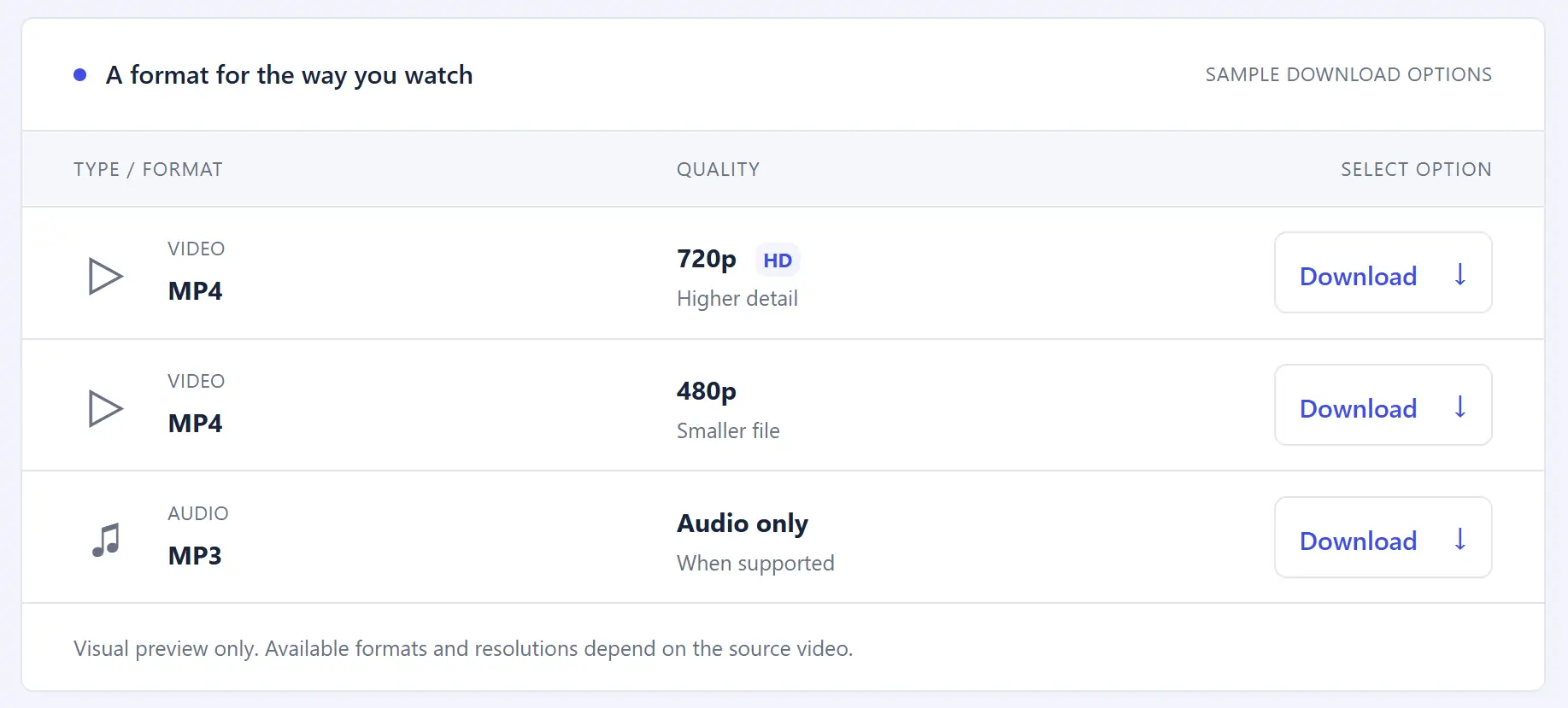
The Dailymotion Video Downloader is an online tool that helps users download Dailymotion videos for offline viewing, when downloading is permitted. Simply paste a video link into the downloader to check the available download options. Depending on the source video and the tool’s capabilities, you may be able to choose formats such as MP4 or MP3 and select from available video resolutions. This online Dailymotion downloader requires no software installation, making it convenient to access from a compatible browser. Whether you want to save a video for offline viewing or extract audio from supported content, the tool provides a straightforward way to get started.

How to Use the Dailymotion Video Downloader

Want to save a Dailymotion video for offline viewing? Follow these simple steps to use our online Dailymotion downloader.

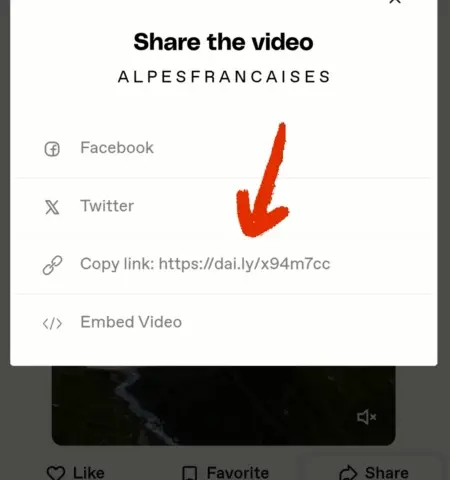
  1. Copy the video link: Open Dailymotion, find the video you want to save, and copy its URL from the address bar or the available sharing options.

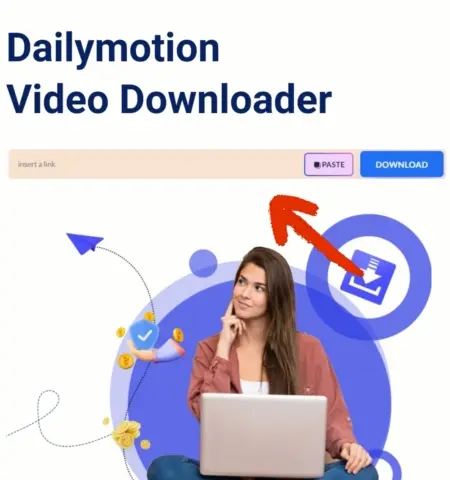
  2. Paste the link: Visit dailymotiondownloader.com and paste the copied URL into the input field. Click the “Paste” button if available.

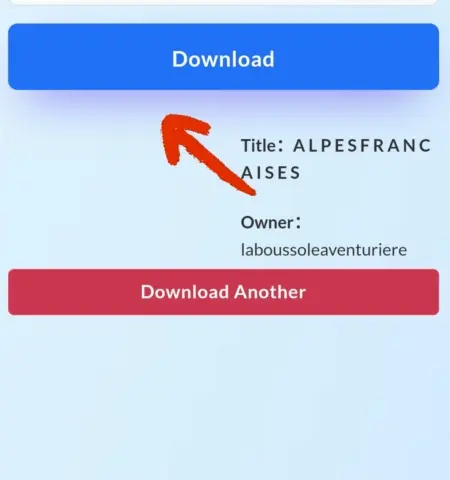
  3. Choose a download option: Click the “Download” button to process the link. If supported, select your preferred format, such as MP4 for video or MP3 for audio, along with an available resolution.

  4. Save the file: Once processing is complete, follow the on-screen instructions to save the file to your device.

The process is simple and requires no additional software installation. Please note that available formats and resolutions may vary depending on the source video. Only download content that you own or have permission to save, and respect the applicable copyright rules and platform terms.

Dailymotion downloader

#1. Get the video link

Open the Dailymotion website and find the dailymotion video that you want to save. Click to copy the link address of the video.

Dailymotion downloader

#2. Paste the link to Our Website

Copy the Dailymotion video you want to download to our website. Then click Paste.

Dailymotion downloader

#3. Start downloading

Click the “Download” button and the tool will start processing and downloading the video.

Why Use Our Dailymotion Video Downloader?

Looking for a convenient way to save Dailymotion videos for offline viewing? Our online Dailymotion video downloader provides a simple way to process video links and check the available download options. Here are some features that make it easy to use.

  • Available Video Quality Options: Choose from the resolutions supported by the source video and the downloader. If 720p is available, you can select it to enjoy a clearer viewing experience.

  • Simple and User-Friendly Interface: Downloading a video is straightforward. Copy the Dailymotion video URL, paste it into the input field, and click the download button to get started. No complicated setup is required.

  • Multiple Format Options: Depending on the available download options, you may be able to save videos in MP4 format or extract audio in MP3 format. Choose the option that best suits your needs.

  • Convenient Online Access: This Dailymotion downloader online tool works through a compatible web browser, so there is no need to install additional software. You can access the website whenever you need it.

  • Fast and Efficient Processing: The tool is designed to make the video download process straightforward. Actual processing time may vary depending on video length, file size, network conditions, and source availability.

  • Free Access: You can use the website without a paid subscription if the relevant features are offered free of charge. Check the available options on the page for any usage limits or restrictions.

Overall, our Dailymotion downloader offers a convenient way to access available video and audio download options in a few simple steps. Whether you need an MP4 video or an MP3 audio file, the process is designed to be easy to follow.

Looking for another video downloader? Visit our TikTok downloader to explore options for TikTok videos.

FAQs

Dailymotion Video Downloader is an online tool that allows you to save Dailymotion videos from the Dailymotion website. It supports various formats and resolutions for your convenience.

To use the tool, paste the Dailymotion video URL into the designated field, select your preferred format and resolution, and click “Download.” The video will then be saved to your device.

The downloader supports multiple formats, including MP4 for video and MP3 for audio. You can select the format that best suits your needs.

Yes. You can use the tool to save videos that you own or have permission to download.

No, there’s no limit on how many videos you can download for free.

No, the service is completely free to use. You can download videos without paying any fees.

Note: This tool is intended for downloading videos you own or have permission to save. Please respect the copyright and terms of service of content platforms.